

16:00 · Team inbox
One inbox for the whole team
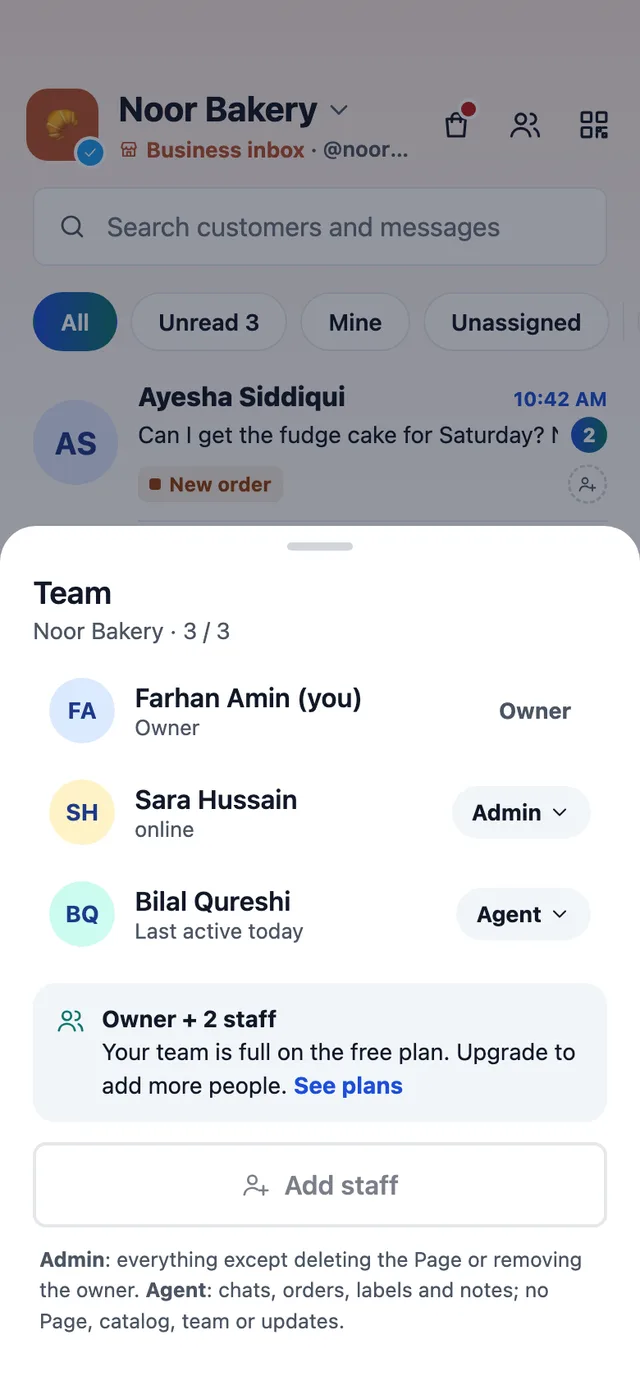
Invite your staff to your Page. Everyone answers from their own phone, as your shop, without sharing a SIM or a password.
Everyone on their own phone
- Invite with a linkSend it however you like. They join from their own Rabt account, and you approve them.
- Owner, Admin and AgentOwners and admins run the Page, catalog and team. Agents handle chats and orders.
- Personal chats stay personalYour team only sees the Page’s chats, never anyone’s own.
Know who’s on what
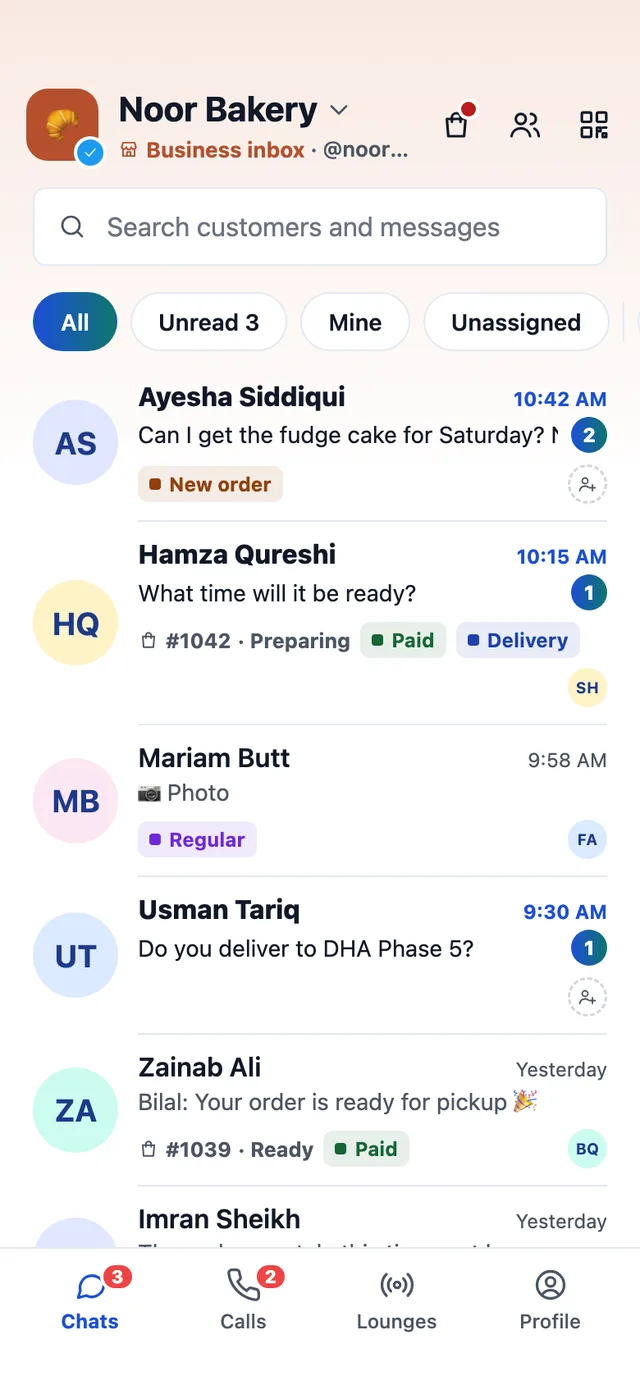
- Assign chatsHand a customer to the right person. Filter by Mine, Unassigned or Unread.
- No double repliesYou see when a teammate is typing a reply to the same customer.
- Mark doneTidy your inbox when a chat is finished. The customer isn’t shown anything.
Faster answers
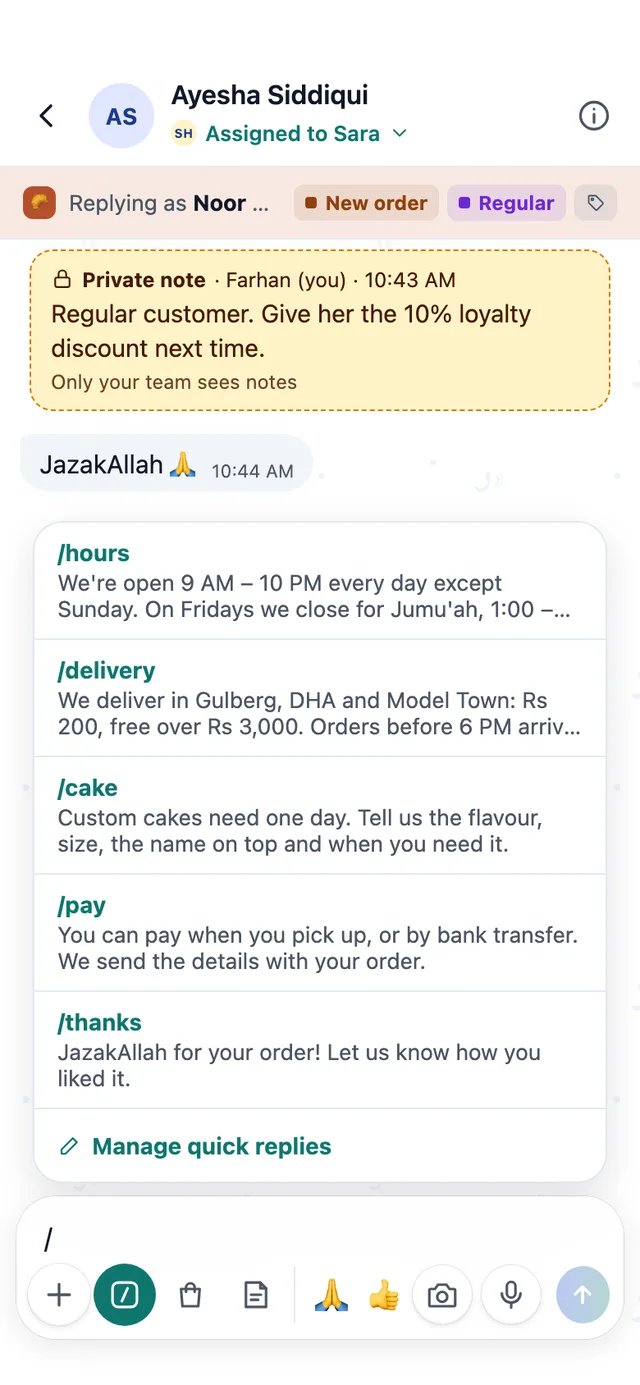
- Quick repliesType / for the answers you write most, like prices, hours or delivery areas.
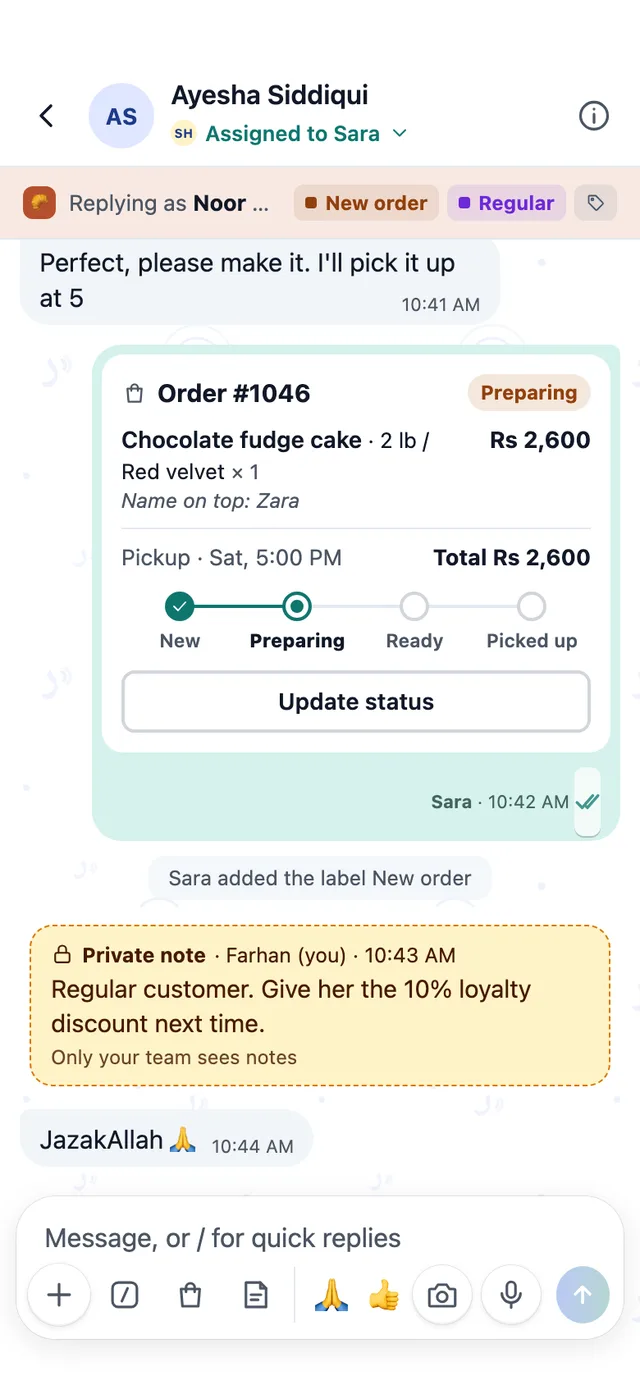
- LabelsTag chats like New order, Paid or Delivery, and see them in the inbox.
- Private notesLeave a note on a chat that only your team sees, like “regular customer, give her the discount”.
Questions
How many people can be on my team?
The owner and 2 teammates, for free. Bigger teams will be a paid option later.
Can my staff see my personal chats?
No. Your team only sees your Page’s chats. Personal chats and groups stay end-to-end encrypted.
Do customers see who replied?
Customers see your shop’s name. Your team sees who sent each message, so you always know who said what.
What happens when someone leaves?
They stop getting the Page’s chats on their phone. The chats stay with the Page.
Can one person help more than one shop?
Yes. One person can be on up to 3 Pages.