

09:00 · Business Page and QR
Your shop, one tap away
Give your shop its own Page in Rabt, with an @handle, a link and a QR code customers can find you by, in the app or in any phone browser.
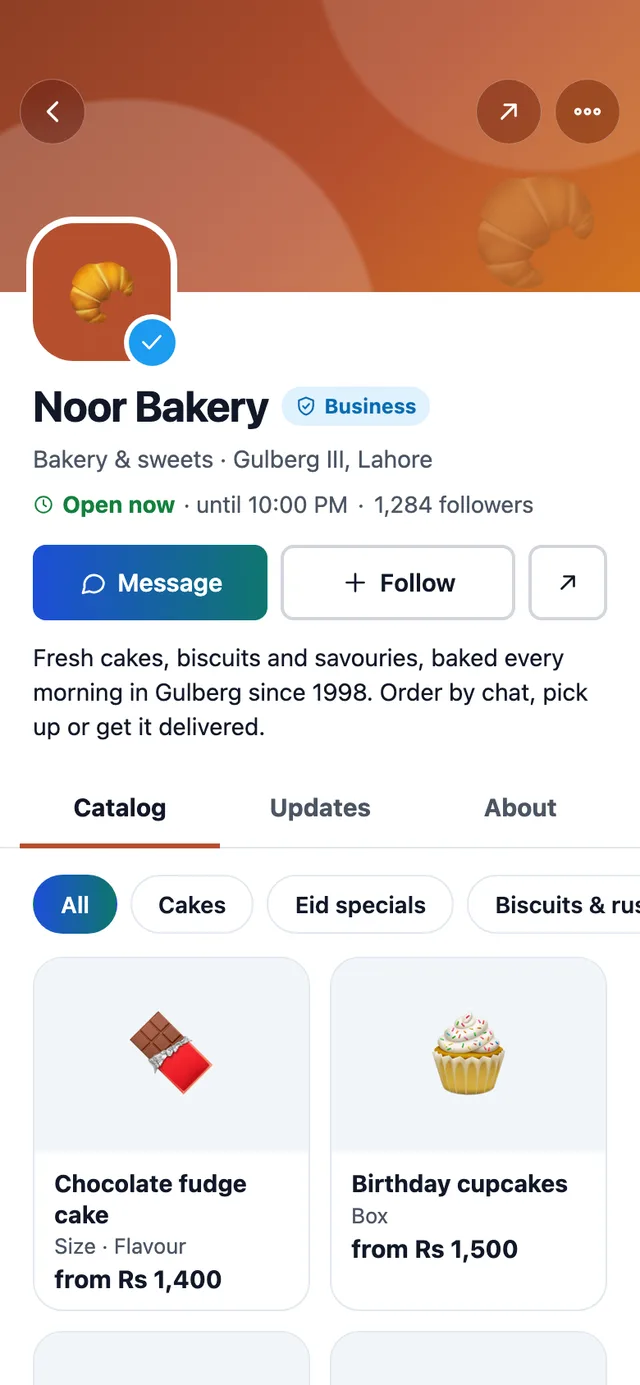
Everything customers need to know
Your name, photo and a short description, with the details people ask about most.
- Name, photo and colourPick a cover colour and a category, like Bakery & sweets, so customers know what you do.
- Open now, or when you openCustomers see your hours and whether you’re open right now.
- Address, phone and websiteOnly the ones you choose to show. Online-only shops can skip the address.
- A web page that opens anywhereimrabt.com/b/your-shop shows your Page in any phone browser, even for people who don’t have Rabt yet.
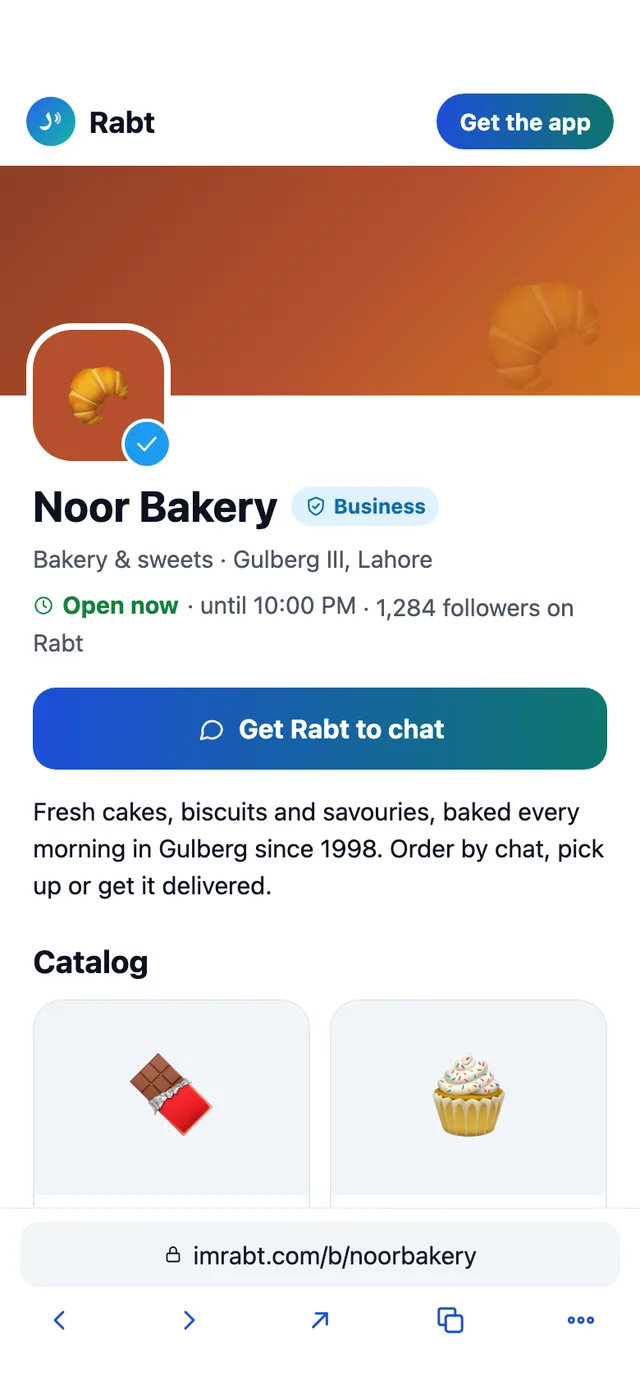
Easy to find
- Your own @handleCustomers search for @yourshop in Rabt. You pick it once, and it stays yours for the life of the Page.
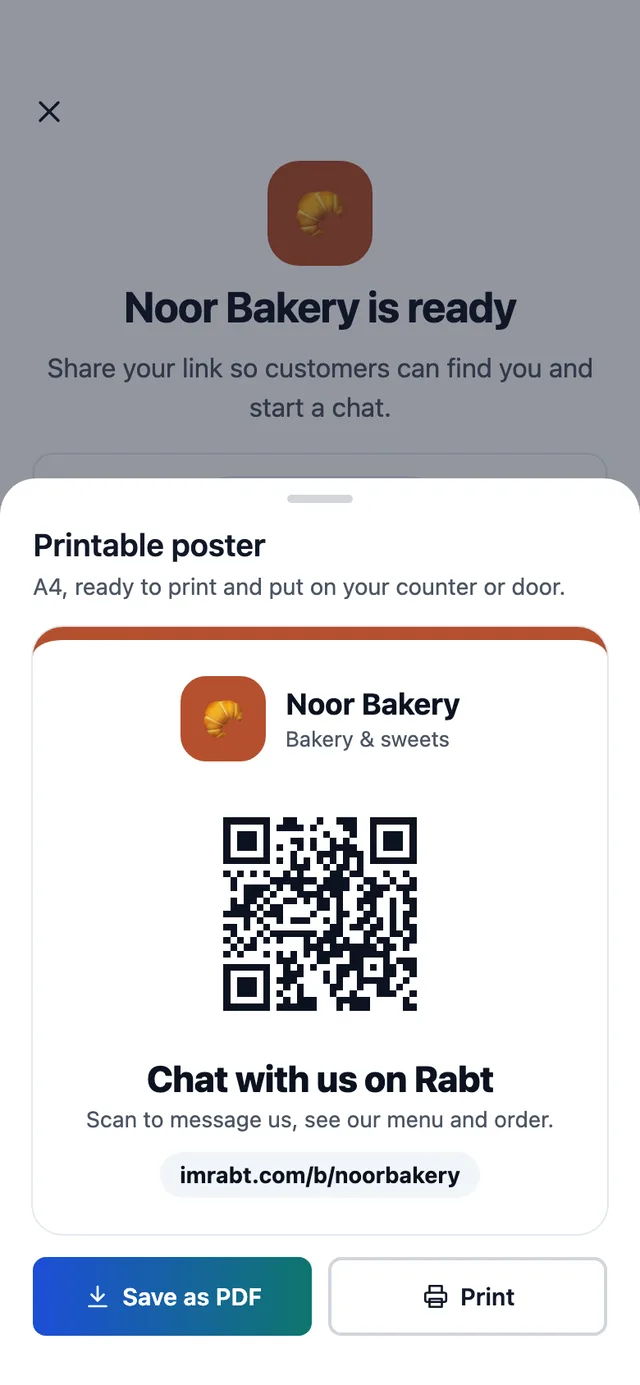
- A QR poster, ready to printIn English or Urdu, in A4 or A5, for your counter, your bags or your delivery boxes.
- Straight into a chatScanning the code or opening the link takes customers to your Page, one tap from messaging you.
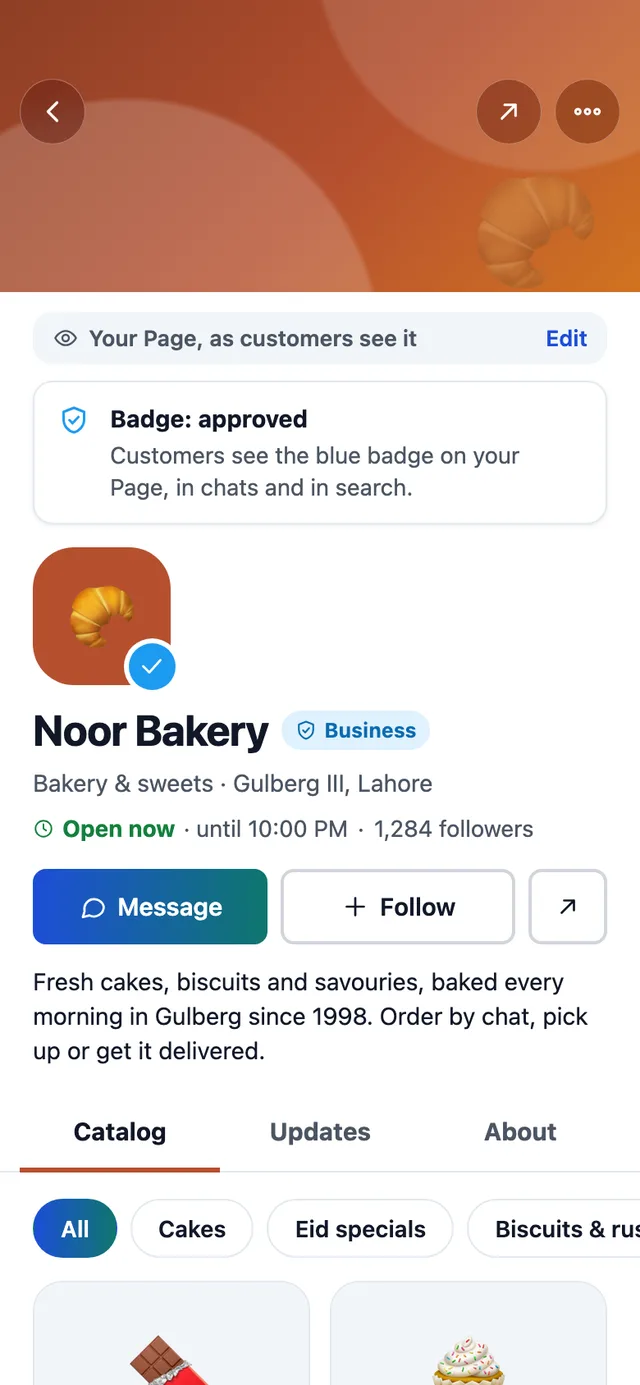
Trusted at a glance
- A verified badgeApply in Page settings with your business documents. The Rabt team reviews them and tells you in the app.
- Reports are taken seriouslyCustomers can report or block a Page, and reports go to the Rabt team.
Followers and updates
Customers can follow your Page to hear about new arrivals and specials.
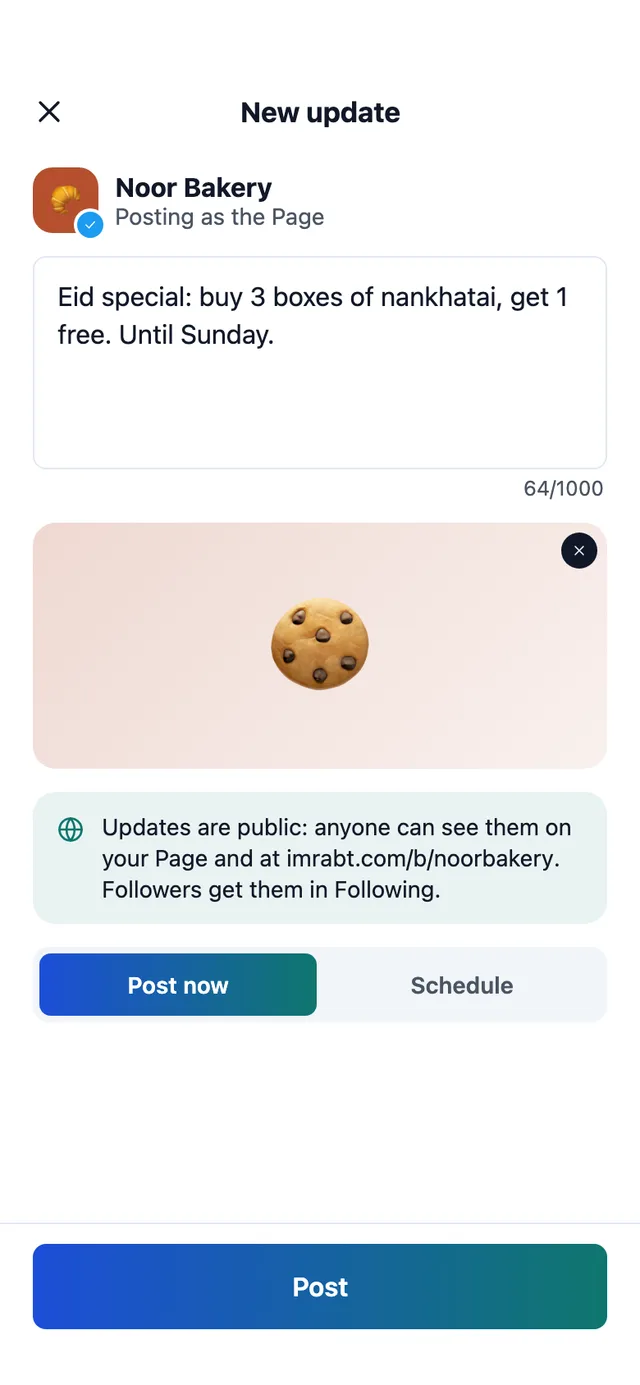
- Post updatesText and a photo, now or at a time you choose. Owners and admins can post.
- Followers see them in FollowingAnd can turn on notifications for your Page.
Questions
Can I change my @handle later?
No. Your @handle is on your QR posters and links, so you choose it once when you create the Page. If a Page is deleted, its @handle is never given to anyone else.
Do customers need Rabt to see my Page?
No. Your link opens a web page in any phone browser. To message you or order, they get Rabt and sign up with their phone number.
How do I get the verified badge?
In Page settings, apply for the business badge with your business documents (PDF, JPEG or PNG). The Rabt team reviews them and tells you in the app.
Can I run more than one Page?
Yes. One person can run up to 3 Pages, and switch between them in Chats.
Is my Business Page free?
Yes. Rabt for Business is free for the owner and 2 teammates. Pricing