

08:30 · Rabt for Business
Sell in chat, as a team
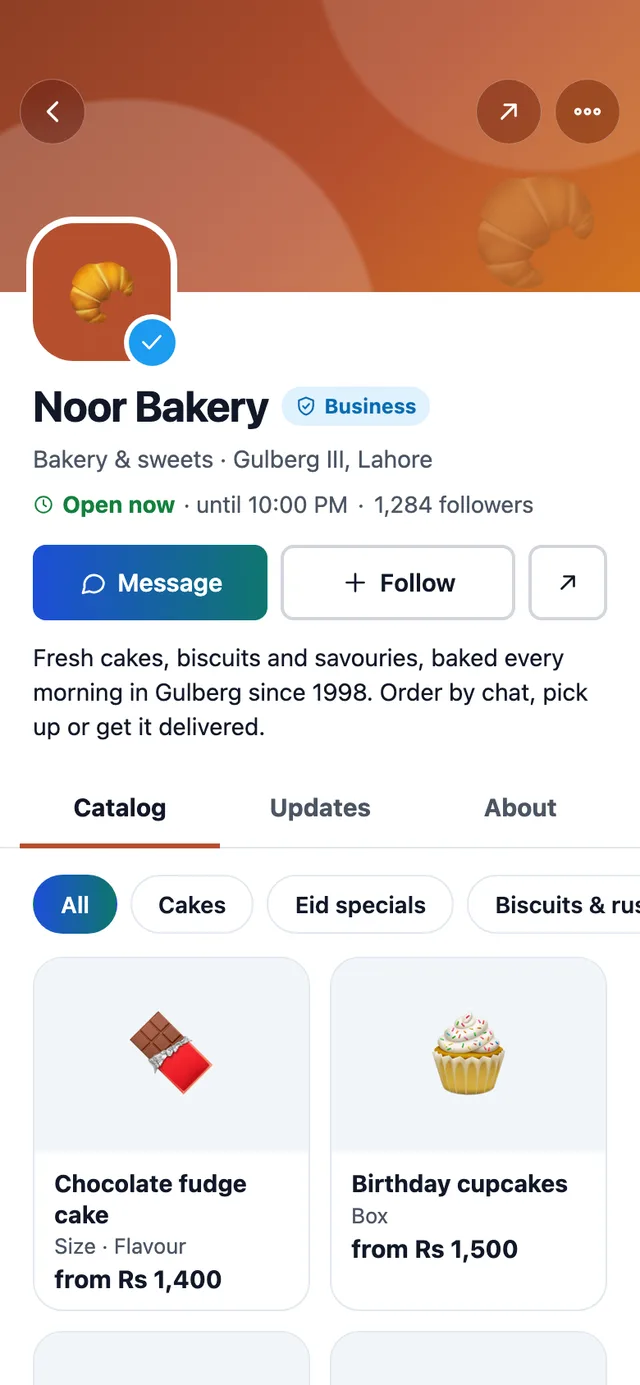
A free Business Page inside Rabt: a catalog your customers order from, orders they can follow, and one inbox your whole team answers from their own phones.
- Free for you and 2 teammates
- No second SIM
- No API, no setup
Built for shops that sell through chat
Bakeries, boutiques, home kitchens, tailors, tutors. If your customers already message you, Rabt keeps it organised.
One phone, two worlds
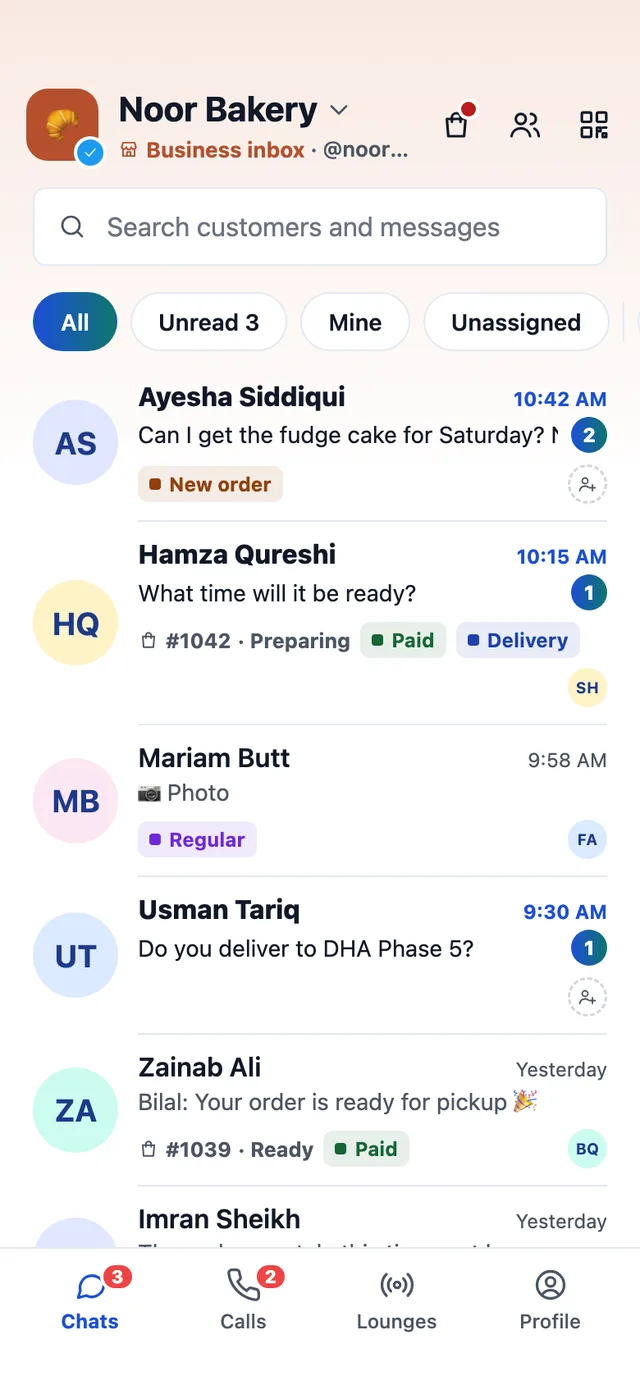
Your Page lives in your own Rabt account. Switch between family chats and your shop’s inbox in one tap, without a second SIM.
Your team, one inbox
Owner, admins and agents answer from their own phones. Customers see your shop, never anyone’s personal number.
Nothing gets lost
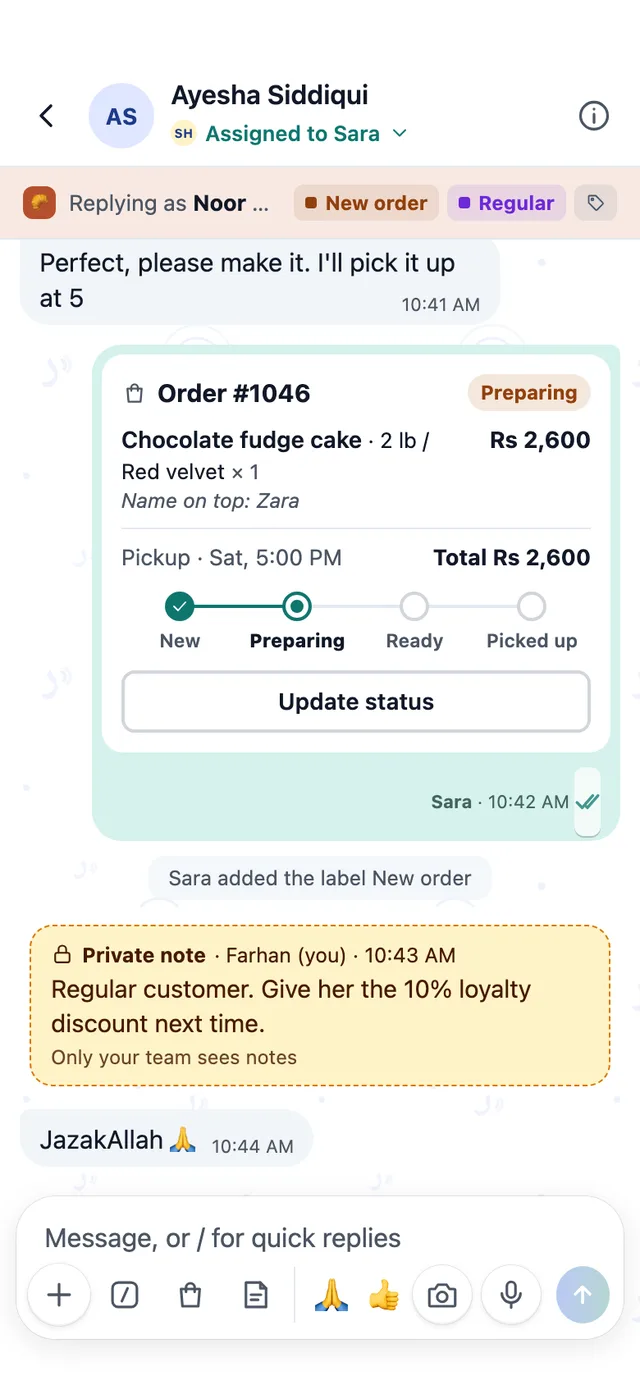
Every order is a card in the chat, with its total, time and status, so everyone knows what was agreed and what’s next.
09:00 · Your Page
Your shop, one tap away
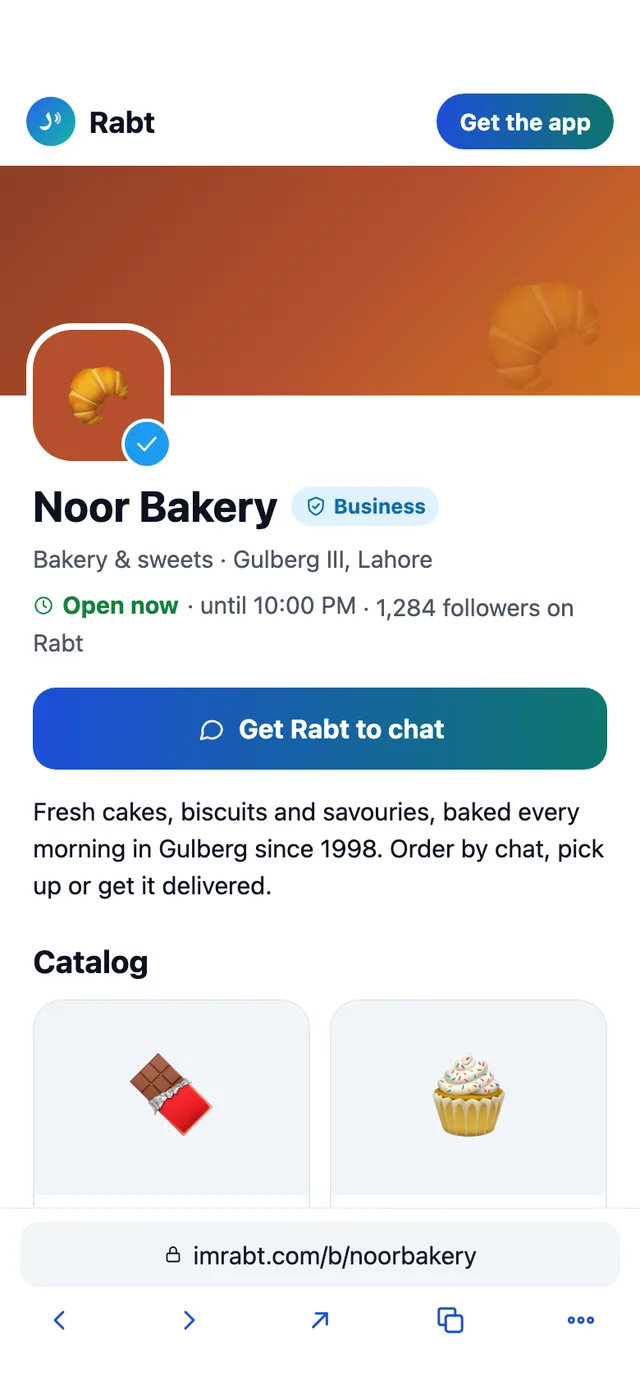
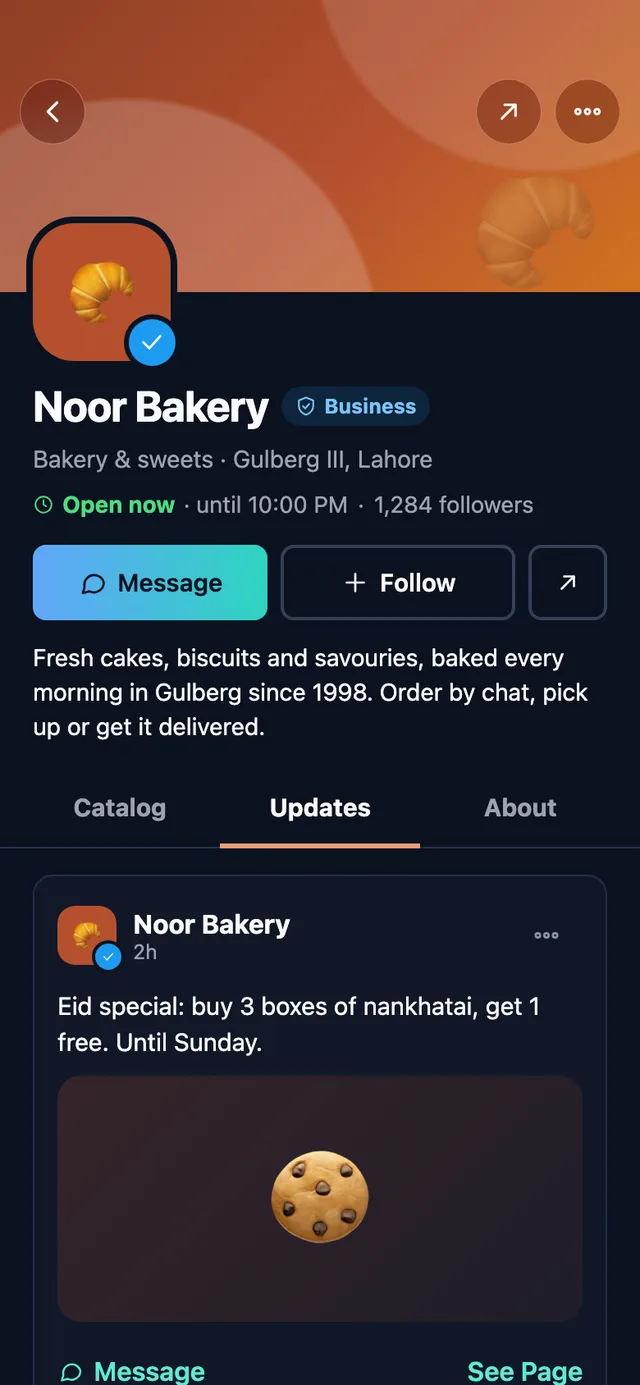
Set up a Business Page in a few minutes: your name, photo, hours and catalog, with a link and a QR code customers can find you by.
- Your own @handle and linkimrabt.com/b/your-shop opens your Page, in the app or in any phone browser.
- A QR poster, ready to printIn English or Urdu, for your counter, your bags or your delivery boxes.
- Opening hours that fit your dayIncluding a break, like Jumu’ah. Customers see if you’re open now.
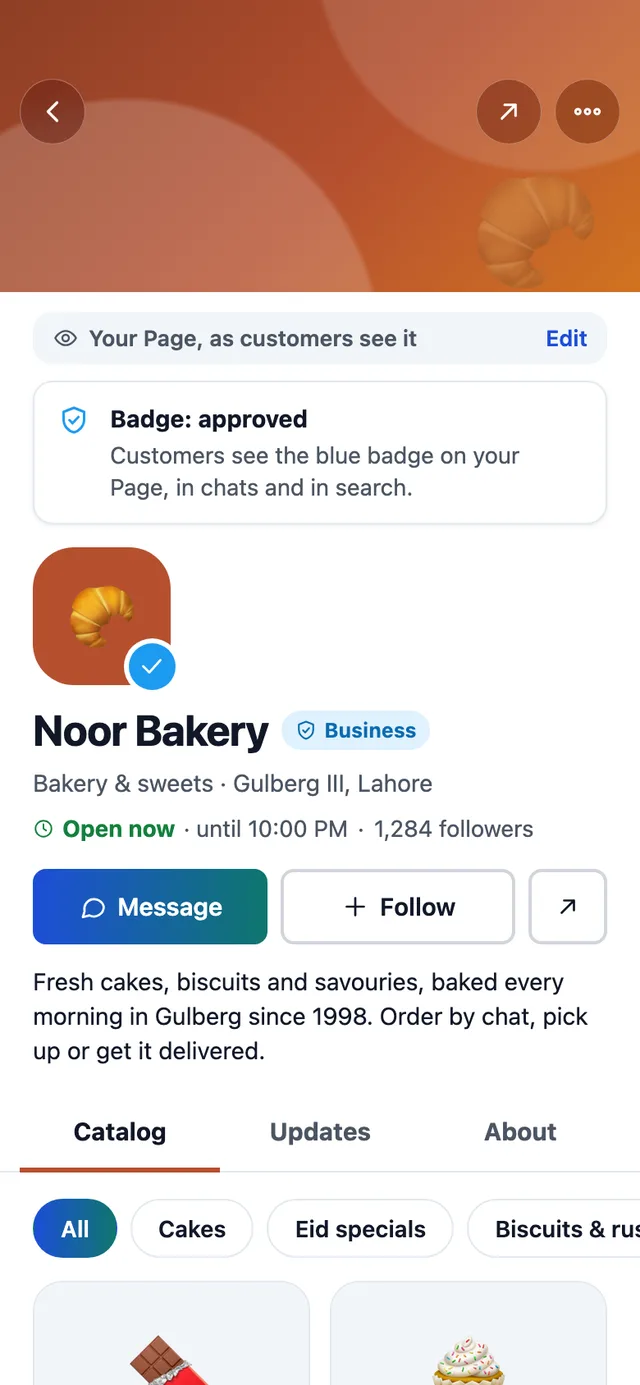
- A verified badgeApply with your business documents. Customers see the Rabt team checked you.
11:00 · Catalog
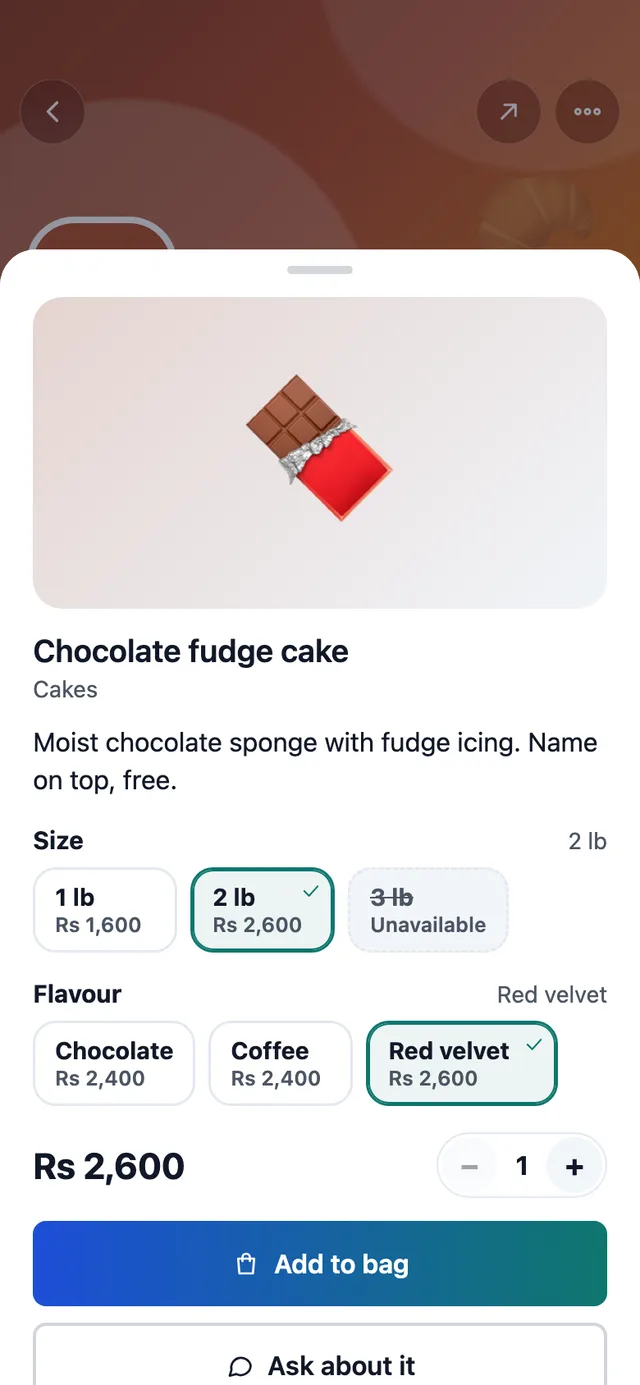
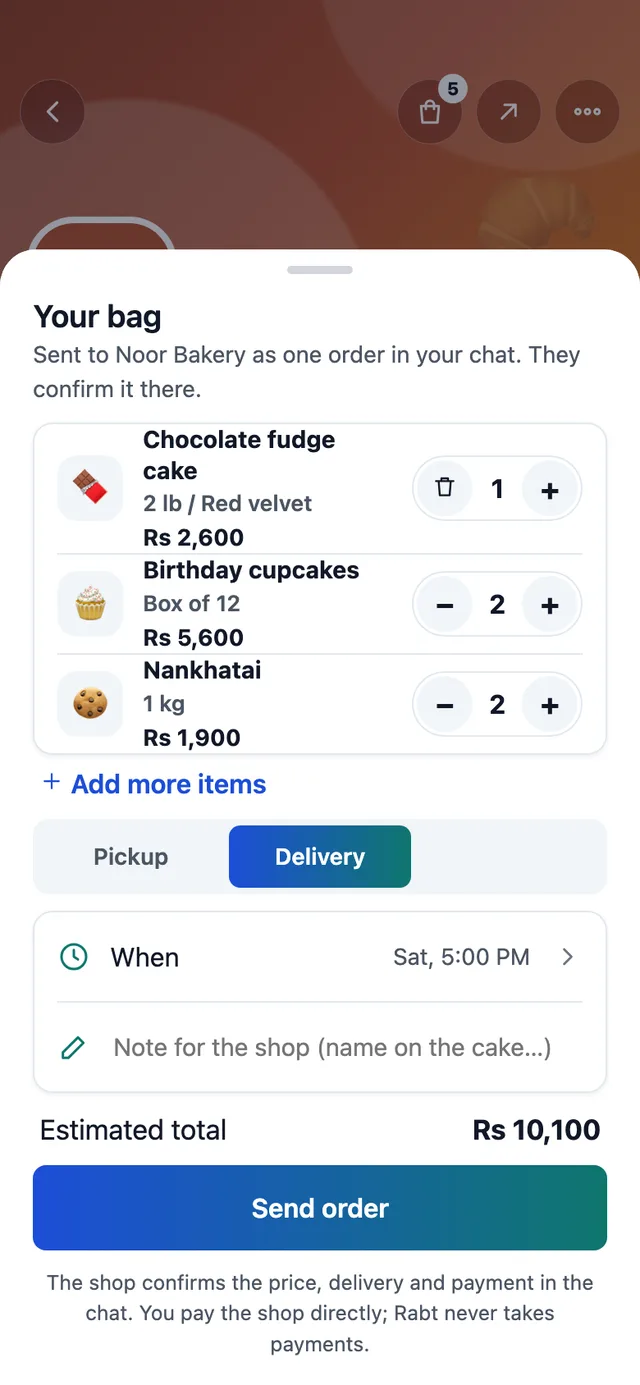
A catalog customers can order from
Show what you sell with photos and prices. Customers add things to a bag and send it to you as one order.
- Items, photos and collectionsGroup items like Cakes or Savoury, and mark anything out of stock.
- Sizes, flavours, coloursEach choice can have its own price and stock, like a 2 lb cake costing more than 1 lb.
- Ask about itCustomers send an item into the chat to ask a question before they order.
13:00 · Orders
Every order, start to finish
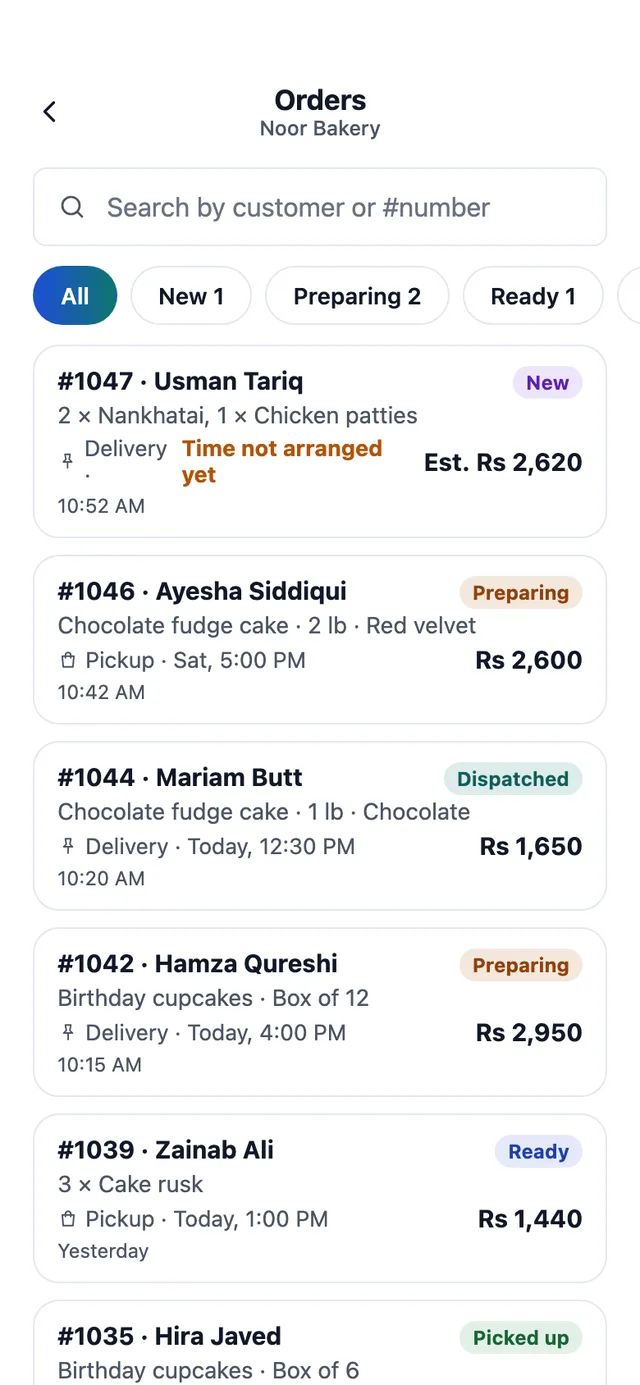
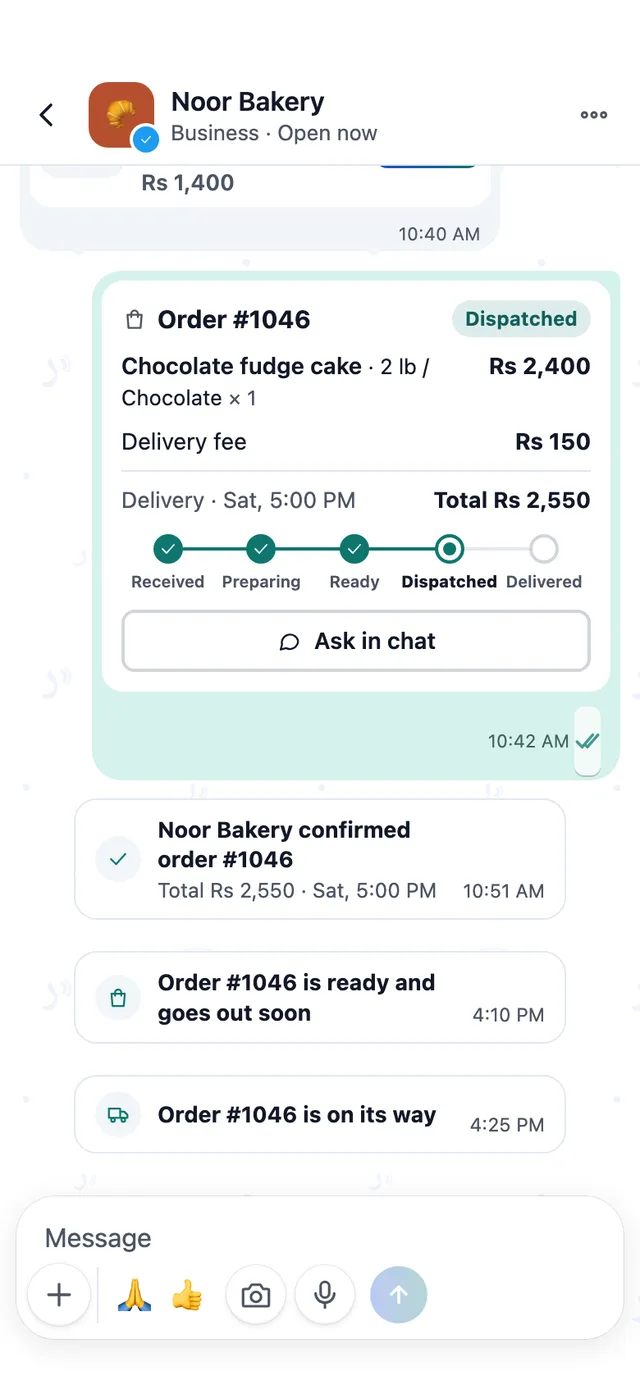
Orders arrive as cards in the chat. You confirm them, and your customer follows each step without having to ask.
- Confirm the final total and timeSet the price, any delivery fee and the time. After that, the order doesn’t change.
- Clear stepsNew, Preparing, Ready, then Dispatched and Delivered, or Picked up. Customers get each step in the chat.
- All orders in one listFilter by status, search by customer or order number, and open the chat behind any order.
- You get paid directlyRabt doesn’t take payments or a cut. Agree how to pay in the chat.
16:00 · Team inbox
One inbox for the whole team
Invite your staff to your Page. Everyone answers from their own phone, as your shop.
- Assign chatsHand a customer to Sara or Bilal, and see who’s on what at a glance.
- Labels and private notesTag chats like Paid or Delivery, and leave notes only your team sees.
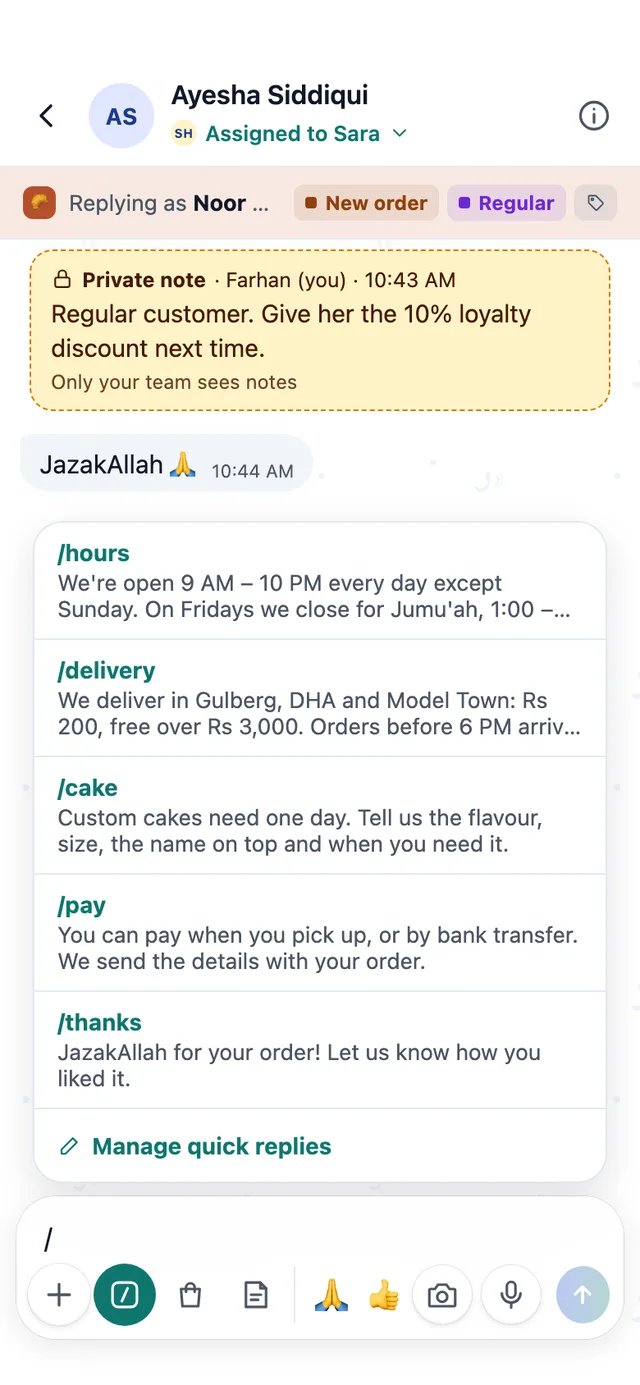
- Quick repliesType / to send the answers you write most, like your prices or delivery areas.
- Roles that make senseOwners and admins run the Page and catalog. Agents handle chats and orders.
21:30 · Closed, still answering
Answer, even when you’re closed
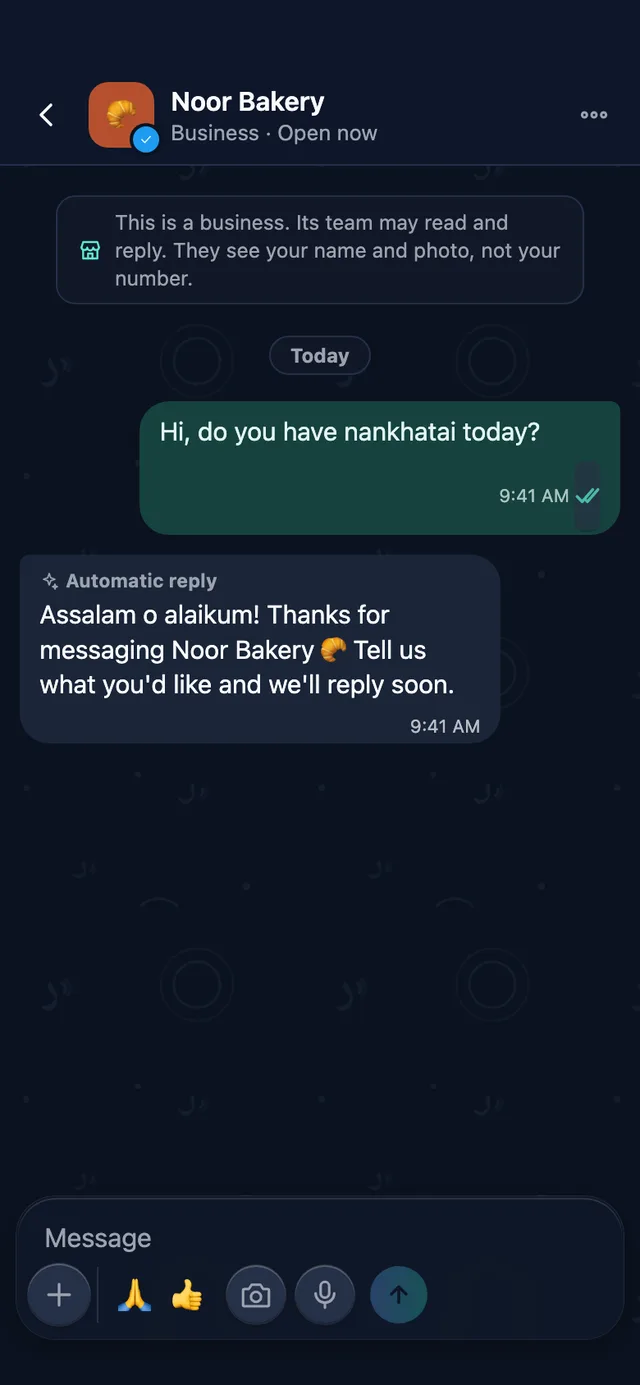
Automatic replies greet new customers and tell them when you’re back, even with every phone switched off.
- Greeting messageWelcomes a customer’s first message, and again after two weeks of quiet.
- Away messageOutside your opening hours, or whenever you turn it on.
- Updates for your followersPost today’s specials or a new arrival. Followers see it in Following and can turn on notifications.
23:59 · Privacy
Private where it matters
Your customers trust you with their details. Rabt keeps them, and you, private.
Customers’ numbers stay hidden
You see a customer’s name and photo. They share a phone number or address only when an order needs it, and can stop sharing any time.
Your number stays yours
Customers see your shop, not you. Staff reply as the Page, and leaving a Page takes it off their phones.
Personal chats stay personal
Your personal chats and groups stay end-to-end encrypted, and your team can’t see them.
Honest about business chats
Chats with a business aren’t end-to-end encrypted, because the business’s team reads them. Customers are told in the chat.
The next morning
Up and running in minutes
- 1
Get Rabt
Sign up with your phone number, like any Rabt account.
- 2
Create your Page
Profile → Create a business Page. Add your name, category, city, hours and @handle.
- 3
Add your catalog
Photos, prices and choices. Then print your QR poster or share your link.
- 4
Invite your team
Send an invite link. They join from their own Rabt account.
Pricing
Free to start
Everything a small shop needs, free for the owner and 2 teammates. Bigger teams will be a paid option later.
- Business Page, @handle, link and QR poster
- Catalog with choices, bag and orders
- Team inbox for you and 2 teammates
- Greeting, away and quick replies
- Updates for followers
- Verified badge application
One person can run up to 3 Pages.
Questions
Do I need a second phone or SIM?
No. You create a Business Page from your own Rabt account and switch between your chats and your shop’s inbox in one tap. Your personal chats stay where they are.
Can my customers see my personal number?
No. Customers see your Page: its name, photo and @handle. Your team answers as the Page, so nobody’s personal name or number is shown to customers.
How much does it cost?
Rabt for Business is free for the owner and 2 teammates. Bigger teams will be a paid option later.
Can customers pay in Rabt?
No. Rabt doesn’t take payments. You confirm the final price in the order and agree how to pay in the chat, and your customer pays you directly.
Who can read chats with my Page?
Your Page’s team: the owner, admins and agents you invite. Chats with a business aren’t end-to-end encrypted, because your team needs to read them. Your personal chats and groups stay end-to-end encrypted, and your team can’t see them. How Rabt protects you
Is there an API or developer platform?
No. Rabt for Business runs in the Rabt app, so there’s nothing to set up, connect or code. If you can use a phone, you can run your Page.
Where is it available?
We’re starting in Pakistan and the UAE, with prices in rupees or dirhams, and the app in English, Urdu and Arabic.
Can I change my @handle later?
No. Your @handle goes on your QR posters and links, so you pick it once when you create the Page and it stays the same for the life of the Page.
How do I get the verified badge?
In Page settings, apply for the business badge with your business documents (PDF, JPEG or PNG). The Rabt team reviews them and tells you in the app.

Bring your shop to Rabt
We’re starting with a small group of shops in Pakistan and the UAE. Want to be one of them?
Rabt is launching soon on Android and iPhone.